Shiba Viewer

An optimized Firestorm viewer, with extras.

Everything you know from Firestorm, running smoother, with a full animation studio, new looks for your photos, and fixes for bugs stock Firestorm still has. It keeps itself up to date.

Download for Windows
Windows 10 / 11, 64-bit
Checksum-

Free. Second Life and OpenSim grids. Installs next to Firestorm without touching it.
Smoother

Avatars leave the cloud stage sooner, teleports arrive faster, video plays at full speed, and big inventories stop costing you FPS.

Animation studio

Pose, key, and play your own animations right in the viewer, then upload them in one click.

New looks

Cinematic tone mapping, a physical sky with stars and aurora, real mirrors, cartoon and manga styles.

Updates itself

When a new version is out the viewer asks at startup. Only the changed parts download, and a dropped download picks up where it stopped.

Features

What Shiba Viewer adds on top of Firestorm. Anything that changes how things look is optional and can be switched off.

Poser: a full animation studio

  • Timeline: pose your avatar at different moments, press Play to watch it move, and save it as an animation you can upload. Up to 60 seconds.
  • Drag limbs: grab a hand, foot or the hips and drag; the arm or leg follows and the elbow or knee bends naturally. Feet stay planted when you move the hips.
  • Planted feet and hands: pin a foot and it stays exactly where it is between keys - no more sliding feet in squats and dances.
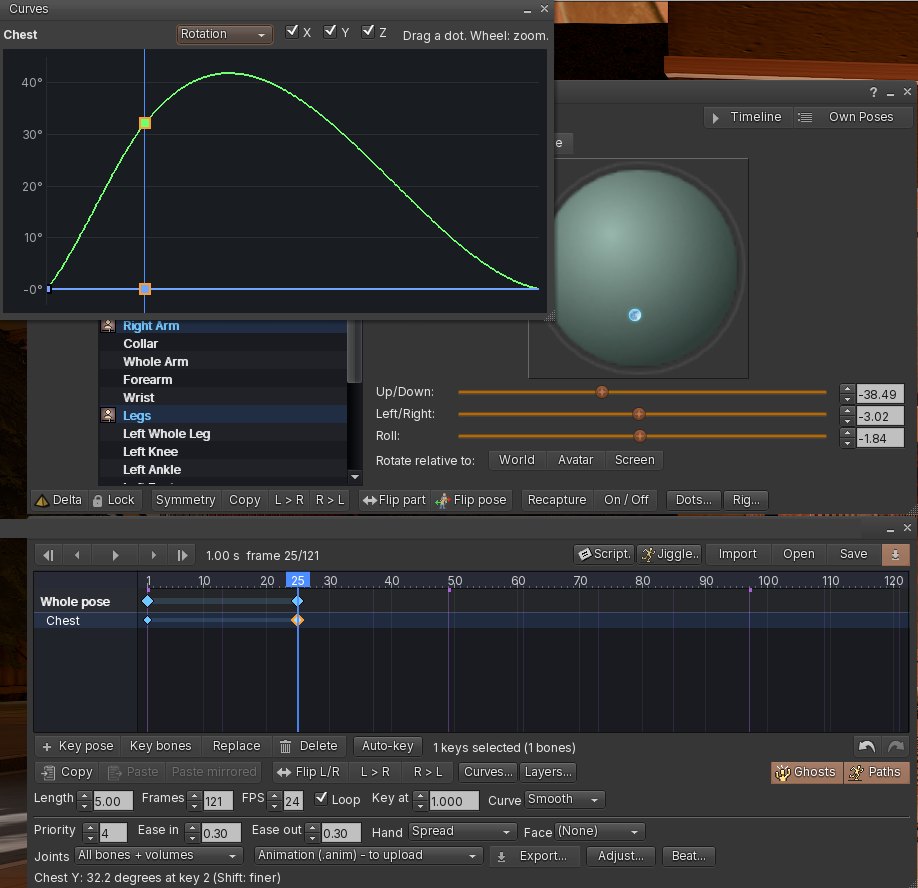
  • Curves: see each bone's motion over the whole animation and drag it into shape.
  • Layers: add breathing, a head bob or a sway on top, each with its own strength.
  • Beat: set or tap the music's BPM, snap keys to the beat, hear a tick while playing.
  • Jiggle: breasts, butt or any body volume bounce with the movement, live and in the saved animation.
  • Faces and hands: facial expressions for Bento heads, finger-by-finger hand shapes, and your own saved faces and hands.
  • Symmetry, copy and paste mirrored keys, onion-skin ghosts and motion paths, undo and redo, auto-key.
  • Scripts: write an animation as plain text and press Run. Examples included: wave, idle, dance bounce, walk cycle.
  • One-click upload: opens Second Life's upload window already filled in. Also saves .anim and .bvh for Blender.
  • Film: record camera shots - position, angle and zoom - on their own timeline, played with your animation or on their own. Made for machinima.
The Poser with its timeline and the Curves editor
Timeline, keys and the Curves editor

Pose the details

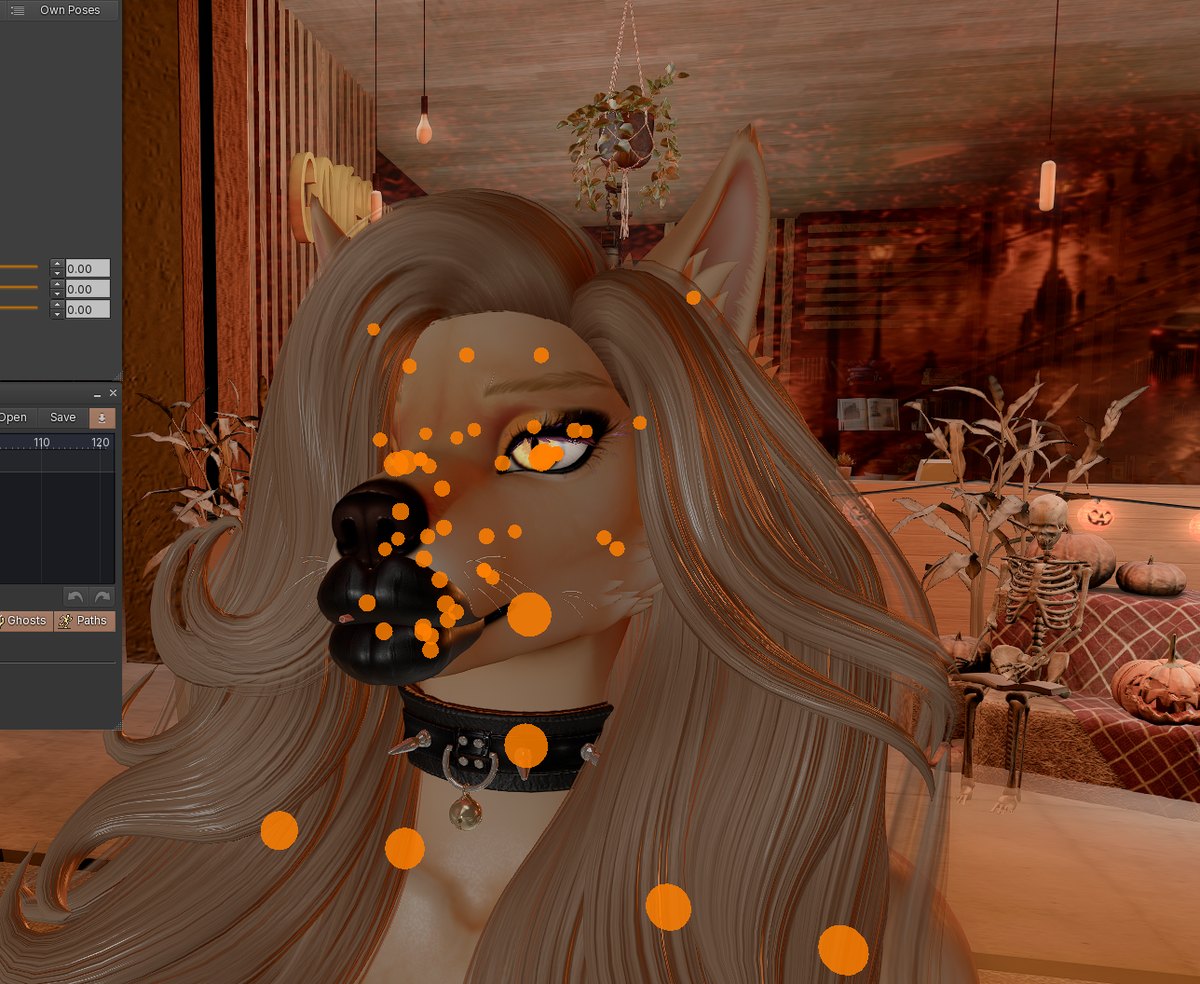
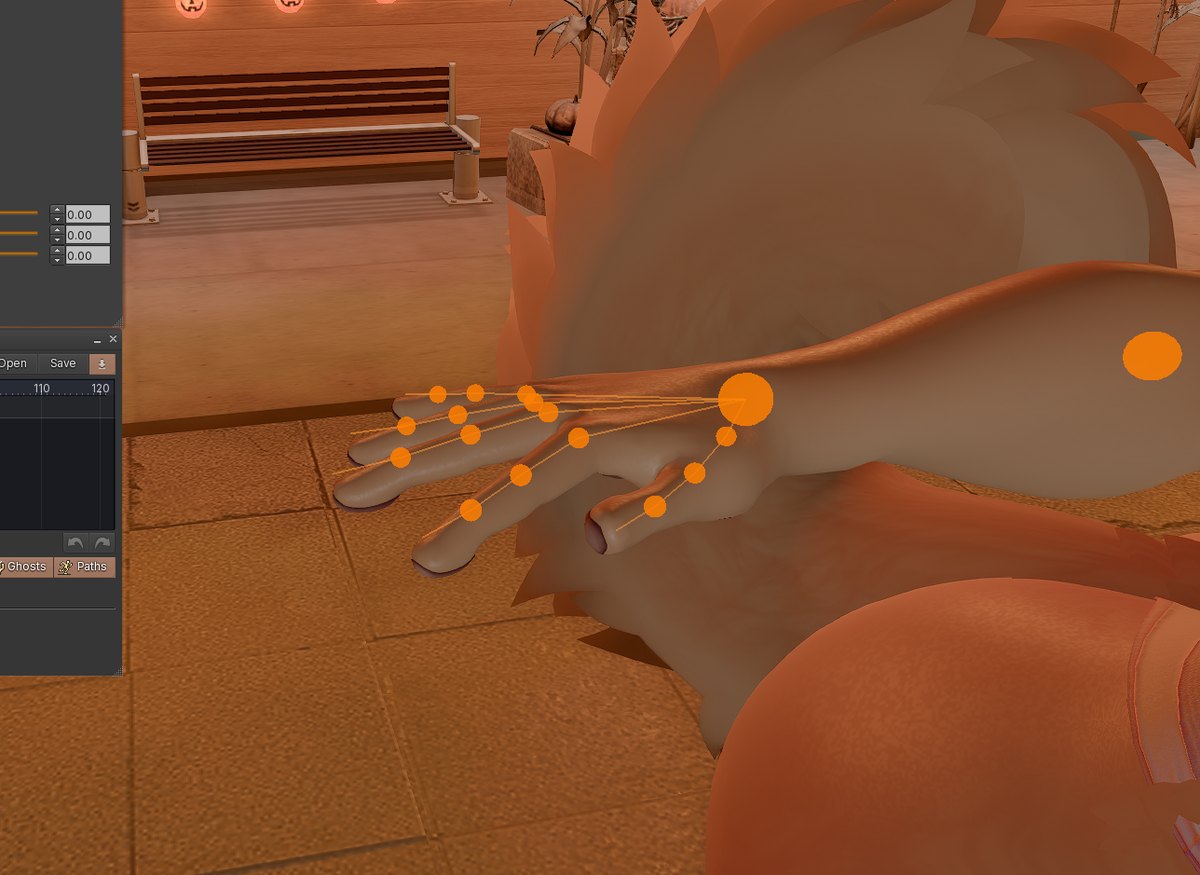
  • Joint dots right on the avatar for fingers, face, eyes, ears, wings and tails - click and turn.
  • Select several bones at once, or a whole spine, arm, leg or tail in one click, and curl them together.
  • A look target: drag the ball in front of the face and the head turns to look at it.
  • Foot roll: rise onto the toes or rock back on the heel, and the knee follows.
  • T-pose and Stand buttons give a clean starting pose whatever your AO was doing.
Face joint dots on an avatar's head
Face and eye joints
Finger joint dots on a hand
Every finger joint

Looks

  • Tone mapping choices, from natural film looks to punchy and bright, with automatic exposure.
  • Physical sky: a realistic daytime sky, a real starfield at night and an aurora borealis.
  • Mirrors with clear, correct reflections.
  • Cartoon (flat, comic-style shading with outlines) and manga (classic print screentone dots) styles.
  • Depth of field that tracks what you look at, and smoother see-through surfaces (glass, hair, foliage).
  • Ambient occlusion you can tune: a strength slider and a cheaper half-resolution mode.
  • Music Lights: the lights around you pulse and change colour with the parcel music. Never strobes.
  • Optional handheld camera shake, a video recorder and Spout streaming for OBS.
A scene in Shiba Viewer
Physical sky and tone mapping

Performance

  • Avatars come out of the grey cloud stage sooner: meshes, bakes and the texture cache load in a better order.
  • Faster teleport arrival; disk work no longer stalls the frame while a region loads.
  • GPU texture decoding on NVIDIA cards, and textures are no longer decoded twice.
  • More FPS by drawing the world at a lower resolution, with AMD FSR keeping it sharp.
  • Choose how many nearby lights are drawn, and a "Low End" graphics preset for older PCs.
  • Video on prims plays at full speed; sites you choose always play smoothly.
  • Large inventories (100,000+ items) no longer cost FPS and memory in the background.
  • Graphics are prepared once after an update, with progress shown instead of a black window.
A busy scene in Shiba Viewer
A busy club

Handy tools

  • Inventory Cleanup: finds unpacked delivery boxes, exact duplicates, old demos and broken links. It never deletes anything - it sets items aside, and every move can be undone.
  • Import from another viewer: bring your settings, chat history, contact sets and teleport history over from Firestorm or Black Dragon.
  • Mute Sounds per person: silence someone's gesture and attachment sounds without blocking them. Remembered after relog.
  • Object snap in the Build window, and an easier move gizmo with axis labels.
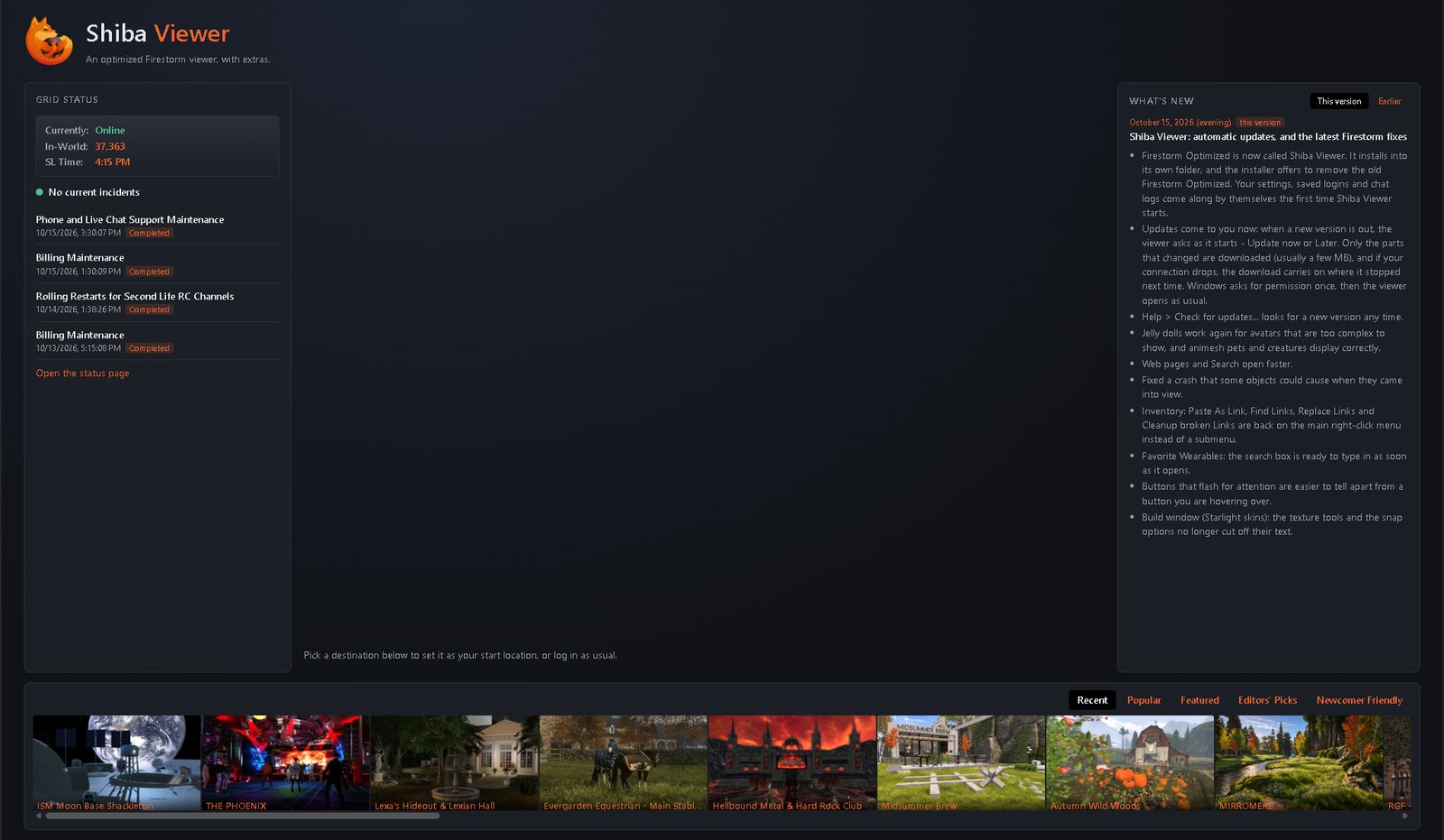
  • A login page with grid status, destinations and what's new.
  • Reload Avatars, a refresh button for audio devices, and a Gesture toggle button.
The Shiba Viewer login page
The login page

Fixed compared to stock Firestorm

Bugs that stock Firestorm still has, fixed in Shiba Viewer.

Screenshots

What's new

The release notes could not be loaded.

Install

  1. Download the installer with the button above.
  2. Run it. Windows may show "Windows protected your PC", because the installer is new and not yet widely downloaded. Click More info, then Run anyway.
  3. Log in as usual. Coming from Firestorm or Black Dragon? Use Avatar > Import from Another Viewer after logging in to bring your settings and chat history along.
  4. That's it. Updates arrive on their own: the viewer asks at startup, or use Help > Check for updates...

Requirements

FAQ

Is it safe to log in with it?

Shiba Viewer is built from the open Firestorm source and logs in to Second Life the same way Firestorm does. Your password goes only to Second Life's own login server.

Can I keep Firestorm installed?

Yes. Shiba Viewer installs into its own folder and keeps its own settings. You can run both.

Will it run on my older PC?

Pick the "Low End" graphics preset in Preferences > Graphics. Lowering the render resolution with FSR switched on also gives a lot of FPS back.

My antivirus or Windows warns about the installer.

New programs that few people have downloaded yet get flagged by reputation, not because anything was found. Compare the checksum under the download button with the file you have; if they match, the file is exactly the one published here.

Does it work on OpenSim grids?

Yes. Add the grid on the login screen with "Click to add more grids".

Mac or Linux?

Windows only for now.